
Today at work I ran into an unexpected behavior when using relationships in Tableau 2025.1.1 with the new feature of table specific data source filters.
For those of you who might not be aware, this is the new feature I am talking about:
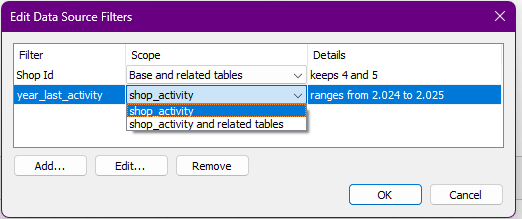
Notice how we are now able to select the scope of the applied filters. Either, it supposedly filters the selected table and all related tables, or just the selected.
Previously, the filter would be applied to the whole relationship.
As Tableau puts it in their release notes:

For my example in this blog post, I have created two data sources in Excel that I relate. Here is what they look like:

Notice how the left column has 20 ids. This column is what I will refer to as my base source or base table. However, the activity table on the right has only 15 ids. IDs 16 to 20 are missing.
Let’s see how this plays out if we relate the two sources based on [shop_id] field.

Now let us build a quick visual just adding the shop ids.
From the following gif you will notice how we first have 20 IDs from our source table and then this drops to 15 the moment I add the [shop_id] field from the activity table. This is because the relationship is now triggered.

As we know, the activity table has only 15 IDs so this is all we get at first. We can force Tableau to show all IDs from our base table, even those that are not found in the related table, by adding a measure. For this, we simply use the always present [count] field from the base table et voilà , all 20 ids show up with nulls on the related table.
Filter for the win – or not?
In our next step, let’s assume we want to limit our activities source to those shops that have been active after the year 2023. Thus, looking at our source, only IDs 6 to 15 will remain in our activity source.
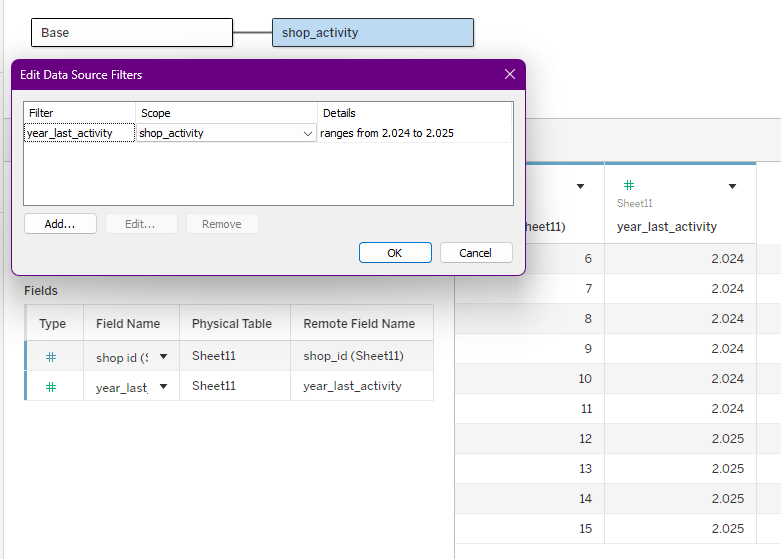
This looks like what we expect. Watch how I have selected only [shop_activity] as the table that should be affected by the filter.
I believe most will agree with my expectation that [shop_activity] should be filtered and the base table not.
In plain words, my assumption is that my filter will basically simulate a relationship between my source table and a table that only has ids 6 – 15.
Thus, we would expect that we get only rows for IDs 6 to 15. Just like we did without the filter before.
Further, the follow-up assumption would be that we can then still enable all IDs from source table by adding the [count] field again and thus we should be getting IDs 1-5 from the source table with null from the activity_table and for 16-20 the same.
However… this is not the case.
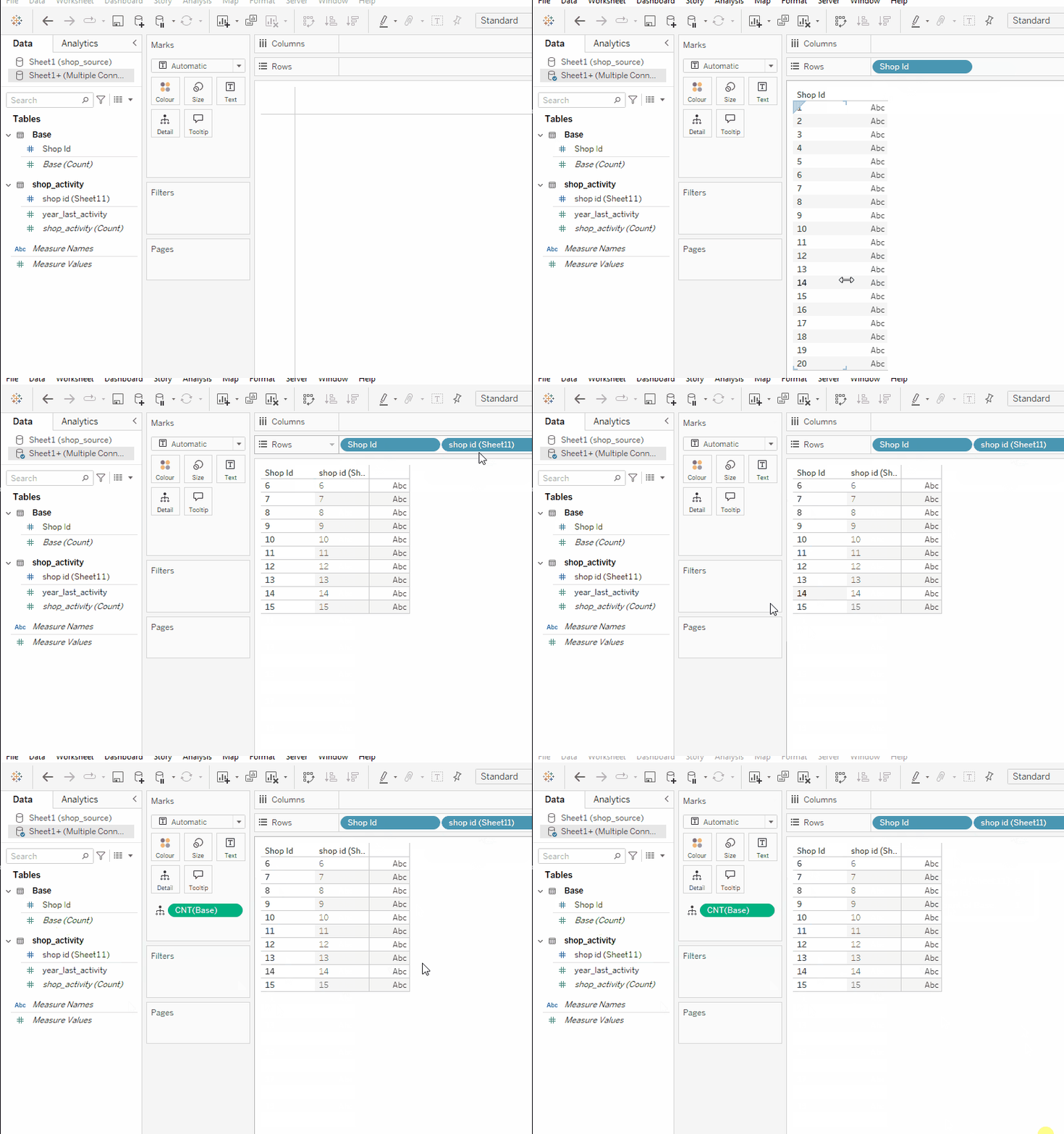
Even when adding the [count] field, we do not get back all IDs from our source table.
Maybe my understanding here is flawed. However, it seems that the filter, despite being set to only filter one of the tables, works exactly as in the old days.
To reiterate, this means that Tableau first creates the relationship and then applies the data source filters to the entirety of the relationship. This is also known as “the ways of our forefathers” as this is what it was ever since 2020.2 release.
In contrast, what it should be doing is applying data source filters first to the selected scope and then building the relationship based thereon.
I have tested this behavior with Excel files, as we have seen, and using Google BigQuery Connector. Both showed the above unexpected results.
So, I see three plus one options here:
- I am missing the point of what the filters are supposed to do. In that case, I am happy for any feedback.
- It is a bug but only for specific connectors
- It is a bug in its entirety and simply not delivering on what it should do.
- It works as intended and they forgot to mention that this will break the option to get full data from parts of the relationship.
In the last case, I am really wondering what would be the intended use case. It is my firm believe that the intention is (or should have been) to enable users to relate sources, even huge ones, from which you maybe just need a fraction of the info but still need the entirety of other tables.
Whatever the case, if your understanding is aligned with mine and you run into unexpected behavior make sure it is not grounded in your data source filter settings.
And that’s it for today.
I hope you found that useful.
Until next time.
Steffen
 Tableau Adventurer