
Usually, when using toggles, we refer to using parameters. However, it is also possible to create a toggle using a dimension and its two members (two because a toggle is either on or off, true or false, 1 or 0, A or B – or, you would have to “make it two” by whatever logic you apply) without creating an additional parameter.
Whether that is sensible or not I leave to you to decide but anyhow, here is the how to.
Step 1 – built a basic dashboard
- Start by connecting to the usual sample superstore data.
- Create a sheet, name it ‘toggle.
- Create a calculated field (I also named it ‘toggle’)
- if [Country/Region] = ‘Canada’ then ‘United States’ Else ‘Canada’ END
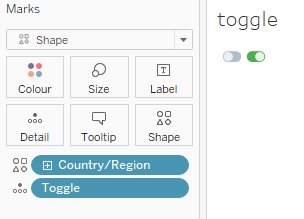
- On the toggle sheet, put [Country/Region] on shapes and assign a shape of your choice to each of the two dimensions.
- Add your toggle calculation onto the details.
- Create a second sheet calles “Sales”.
- On that, put Country/Region on rows, sum(sales) on columns and feel free to color it.
- Put both sheets on a dashboard.
- Go to Dashboard / Actions and create a filter action like this:
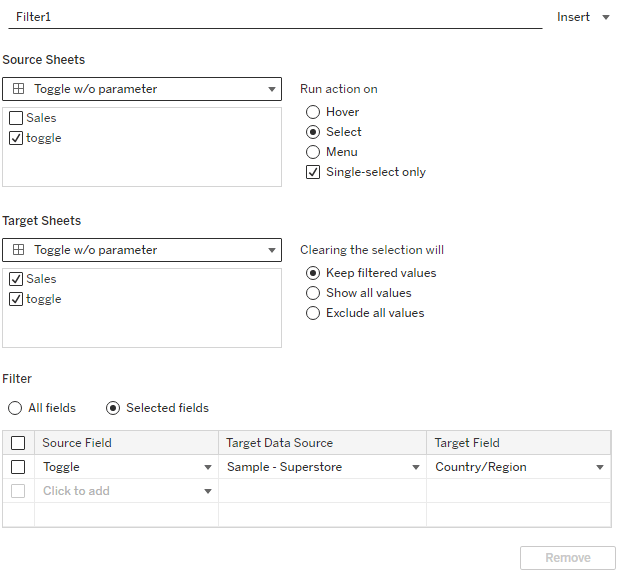
The decisive part is to filter our toggle to [Country/ Region] field.
Once you have created this, you need to go into your sales sheet and then right click the filter (it is an action filter) and select
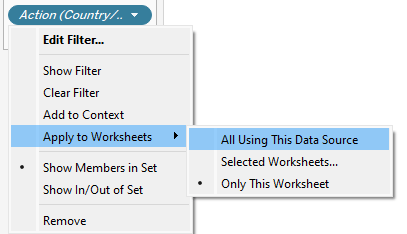
Alternatively, feel free to manually select the worksheets. In any case, make sure the “toggle” sheet is also selected.
And this is our result.
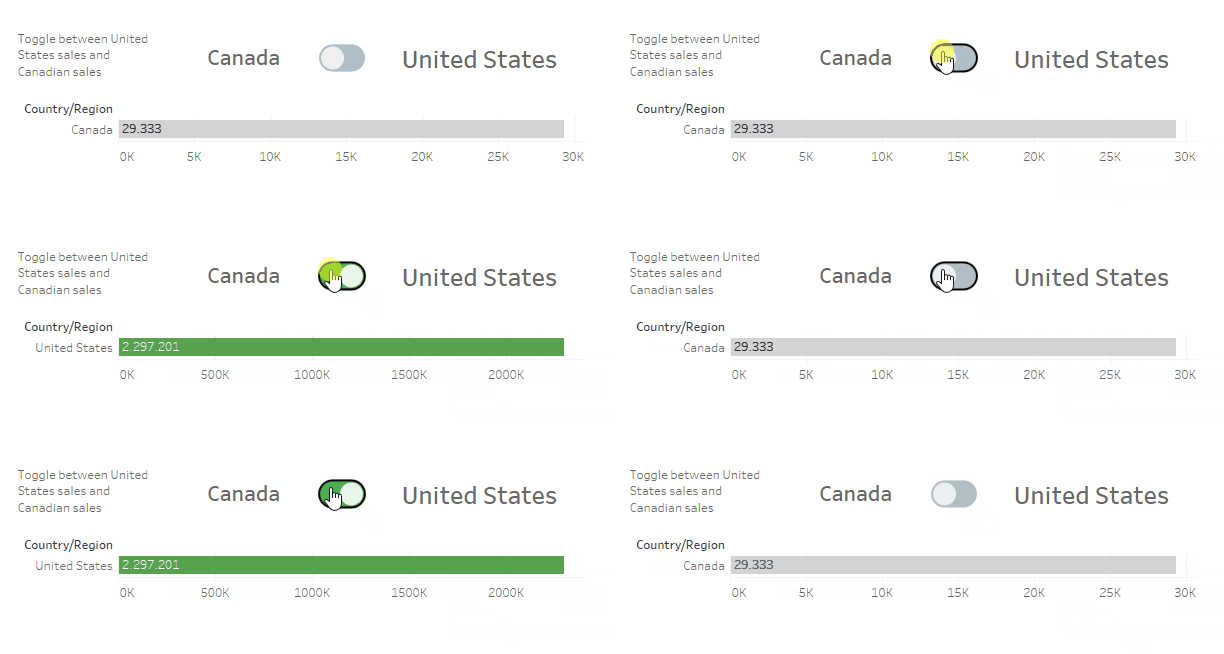
Nothing spectacular but it does the job. And: you do not have to worry about deselecting. A real plus.
And that’s it for today already.
I hope you found that useful and as always appreciate your feedback.
Until next time.
Steffen
 Tableau Adventurer
Leave a comment